Gmail Search: How to Find Any Email in Seconds
Scrolling through Gmail to find an old message is slow and unreliable, especially once you have archived most of your mail. Gmail's search is far stronger than most people realise: a few simple words in the search bar can narrow thousands of messages down to the one you need.

Follow these steps
- Start with the sender or a distinctive word.. Type the sender's name or email address, or one unusual word from the message, into the search bar. A word like invoice, booking, or the name of a company works better than common words like the or please, which appear in almost every email.
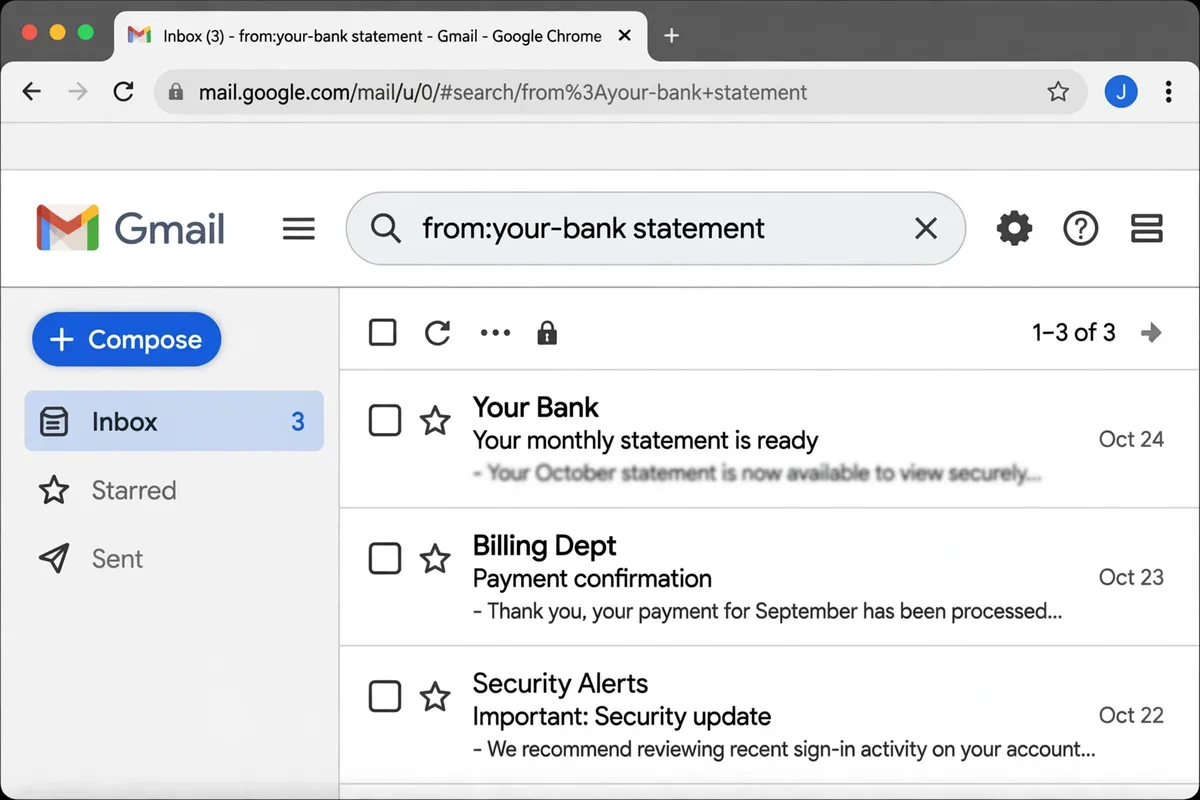
- Narrow by sender with a simple operator.. Use from: followed by the sender's address or name, for example from:your-bank, to show only mail from that sender. You can combine this with a keyword, such as from:your-bank statement, to get even closer in one search.
- Narrow by subject, recipient, or date.. Use subject: for words in the subject line, to: for the recipient, and after: or before: with a date in year-month-day form to limit the range. Combining two of these — for example, subject:receipt after:2026-01-01 — is usually enough to find a message instantly.
- Find attachments without opening messages.. Use has:attachment to show only messages with files attached, and add a file type if you know it, such as filename:pdf for documents. This is the fastest way to find a ticket, receipt, or form someone sent you months ago.
- Search inside labels and archived mail.. Remember that search covers archived mail as well as the inbox, so do not worry if a message is not in your inbox. If you use labels, you can also search within one label, which helps when a sender writes to you about many different topics.
- Save searches you repeat often.. If you search for the same thing regularly — bills from one company, for example — use Gmail's search options to create a filter from that search, or simply remember the operator combination. A saved habit beats retyping a long search every time.
What NOT to do
- Do not scroll page by page through your inbox looking for old mail. Search is faster and more reliable, and scrolling teaches you to give up before you find the message.
- Do not search with only vague words. A search for help or thanks will return hundreds of results — add a sender, a subject word, or a date to narrow it down.
- Do not delete old mail just because you cannot find it. If a message matters, search for it with the steps above first; deleting mail you may need later creates a bigger problem than a full inbox.
Next time you need an old email, resist the scroll and try one search with a sender and a keyword. Once that works a few times, searching becomes your first instinct — and your inbox stops feeling like a haystack.